Love at first listen
Your next favourite band is a swipe away.
Earfling is music discovery that works like a dating app. Tell us your type, swipe on bands, and we’ll build you a mixtape where every track is a keeper.
Free beta, invite only for now. Works on any phone or computer. Already swiping? Open the app.
How it works
Three minutes from hello to your first mixtape.
Tell us your type
Your first music player, your Saturday nights, a few bands you already love. That’s your profile.
Swipe on bands
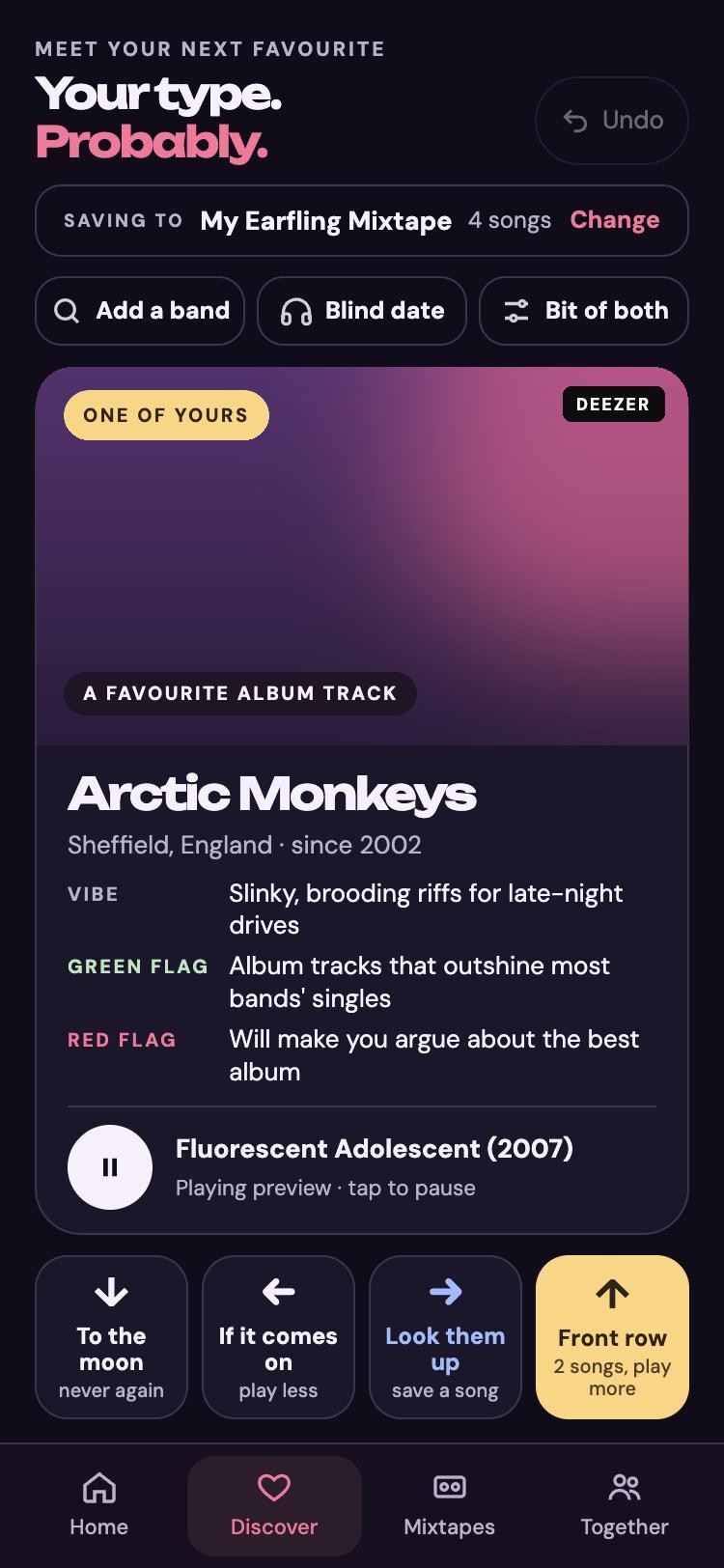
Hear a preview, read their vibe, green flag and red flag. Front row, look them up, play less or never again.
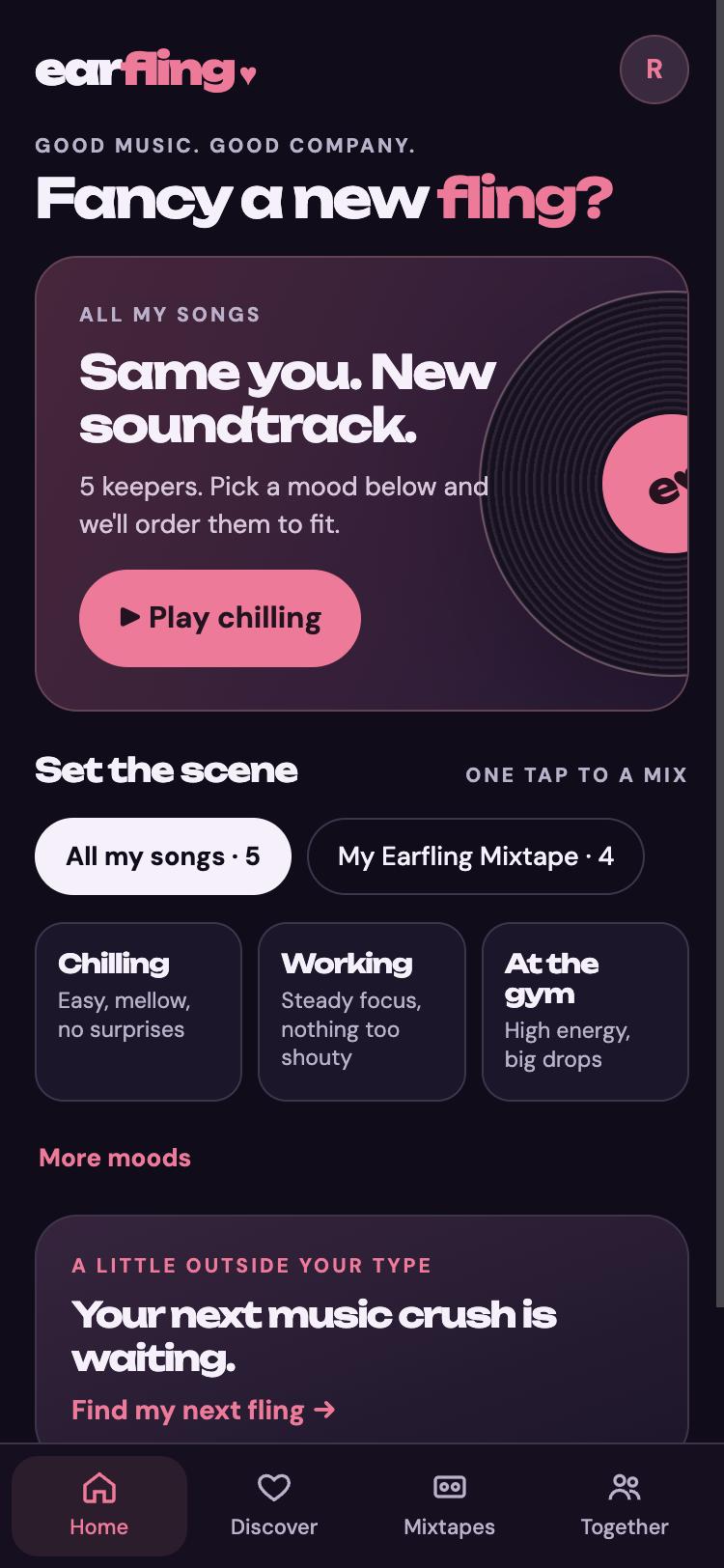
Get your mixtape
Every song you love lands on a mixtape. Pick a mood, chilling, working or the gym, and we put it in order.
Your type. Probably.
Every band gets a card like a dating profile. Picks are tuned to the era you grew up in and where you live, with the album cover on every song.
- Vibe
- Slinky, brooding riffs for late-night drives
- Green flag
- Album tracks that outshine most bands’ singles
- Red flag
- Will make you argue about the best album
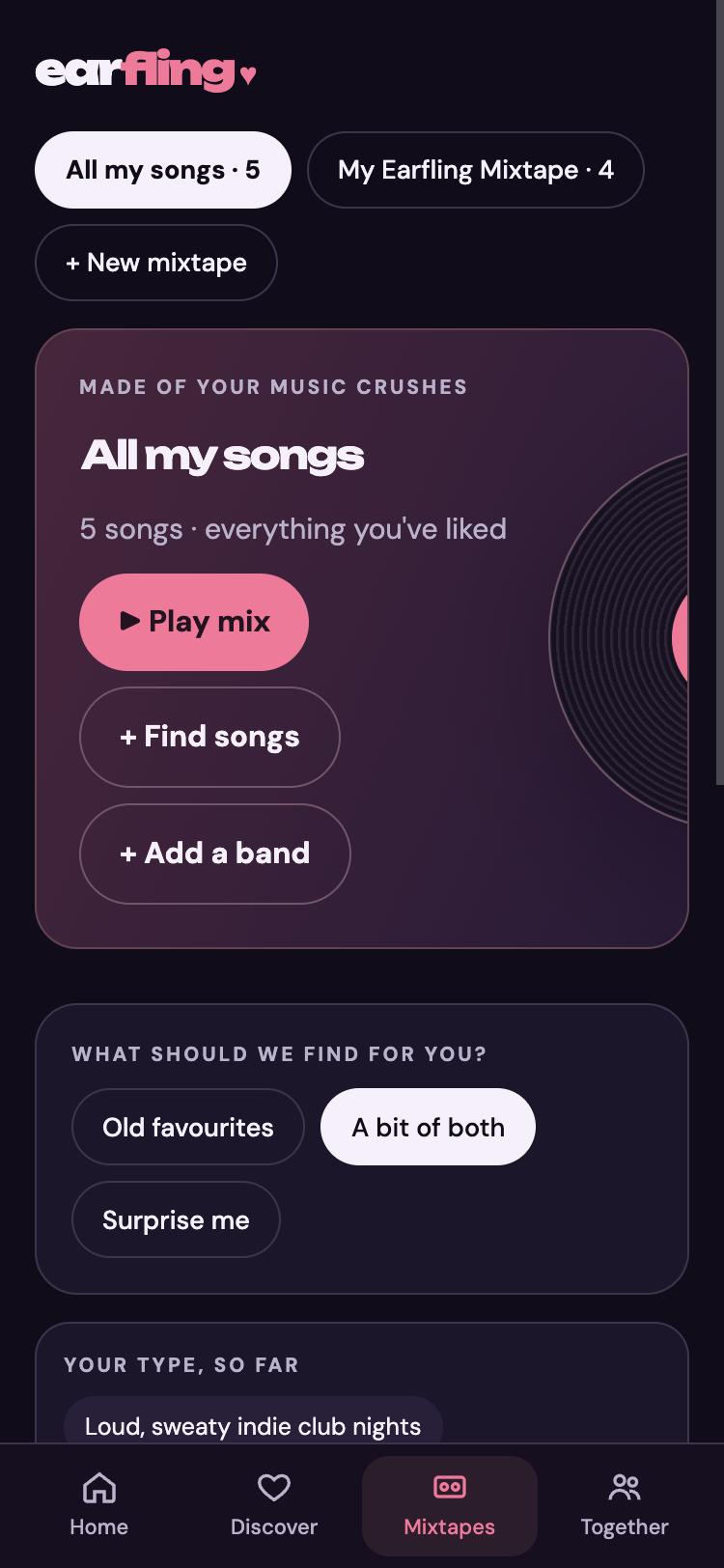
Made of your music crushes.
Build mixtapes for every mood as you swipe. Every song you love also lands in All my songs.
- Choose which mixtape your swipes save to, without leaving Discover
- Add any song to any mixtape
- Add any band by name and shape your taste
- Share a mixtape with one link
Friends, parties and shared mixes.
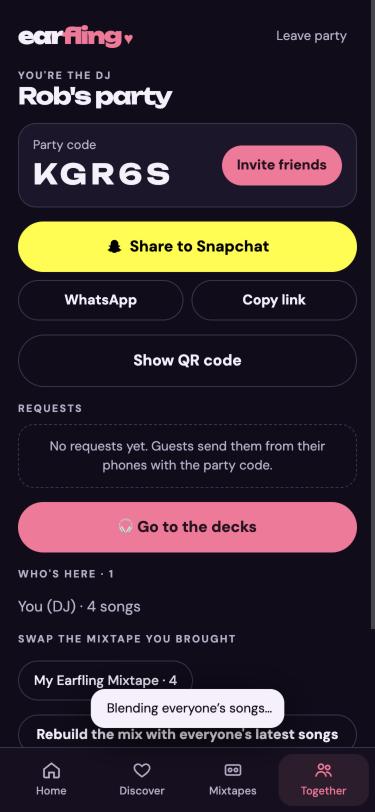
Add friends with a link or a code, send each other songs with a note, and throw a listening party where everyone’s songs blend into one mix.
- Add friends by Snapchat, WhatsApp, link or code
- See what friends are playing, if they choose to share
- Send a friend a song with a note
- Host a party: friends join from their phones and send requests
- Group mixtapes friends can add to
More ways to play
At work, at karaoke, on the big screen.
Office playlist
One playlist for the whole office. Colleagues request songs and give a thumbs up to the ones they like, and the picks stay office-safe.
Karaoke night
Pick from the songbook and get proper karaoke versions. Friends add songs to a queue you can reorder, get an alert when they’re up next, and take parts in duets. The words go full screen on the TV.
Show on a TV
Open app.earfling.com/tv in any smart TV or Fire TV browser and your phone becomes the remote. Or go full screen and AirPlay or screen-share to the TV.
On your computer too
Your laptop. Bigger speakers.
Earfling works in any browser on your computer too. Install it and it sits in your dock and opens like any other app.
In Chrome or Edge, click the install icon in the address bar. On a Mac with Safari, choose File, then Add to Dock.
Download
Get earfling♥ on your phone.
Android
Install from Chrome in a few taps, or download the beta app.
Google Play: coming soon How to installiPhone
Open Earfling in Safari, tap Share, then Add to Home Screen. It works just like an app.
How to installFAQ
Before you swipe.
Is it free?
Yes. Earfling is in beta and free to use. We’ll add paid plans with extra picks and features later, and there will always be a free way to use it.
Where does the music come from?
Previews come from Deezer, and full songs and videos play through YouTube. Earfling doesn’t host or sell music; it helps you find it.
Who can join?
The beta is for people aged 18 and over, in the UK for now, and you need an invite code. Request an invite.
What do you do with my data?
We use your answers and swipes to pick music for you, and nothing else. No marketing emails, no selling data. Read the privacy notice.
Can I play it on my TV?
Yes. Open app.earfling.com/tv in your TV’s web browser, including Fire TV, and use your phone as the remote. You can also go full screen and AirPlay or screen-share to the TV.
Does it work on my computer?
Yes. Open app.earfling.com in any browser, or install it so it opens like an app.
Say hello
Questions, bands to add, love letters?
hello@earfling.comMusic discovery that works like a dating app. Made in the UK.

